The app loads your post
See a preview right away — author, cover, and comment count.
Up to 100 comments · Stories certificate
Official Meta · TikTok partner
Winners
196 583 000+
giveawaysgiveaways run
Platforms
5
networkssocial networks for giveaways
Free
100
commentscomments
How it works
See a preview right away — author, cover, and comment count.
Check the preview, set winner count, and advanced filters.
Winner list, Stories animation, and transparency certificate.
Multi-giveaway
Paste posts from different networks — SOM detects each platform.
Duplicates and winner count — same as a regular giveaway.
Single winner list, Stories animation, and transparency certificate.
Tools
List randomizer, Instagram Engagement, contest rules, Secret Santa, teams, spin wheel, comment export, Instagram fonts, number generator, and online dice. Free tools for Instagram, TikTok, Facebook, YouTube, and Threads giveaways.
For giveaways
Paste participants from CSV or Excel — instant fair winner pick from a list. Ukrainian list randomizer works in browser without registration.
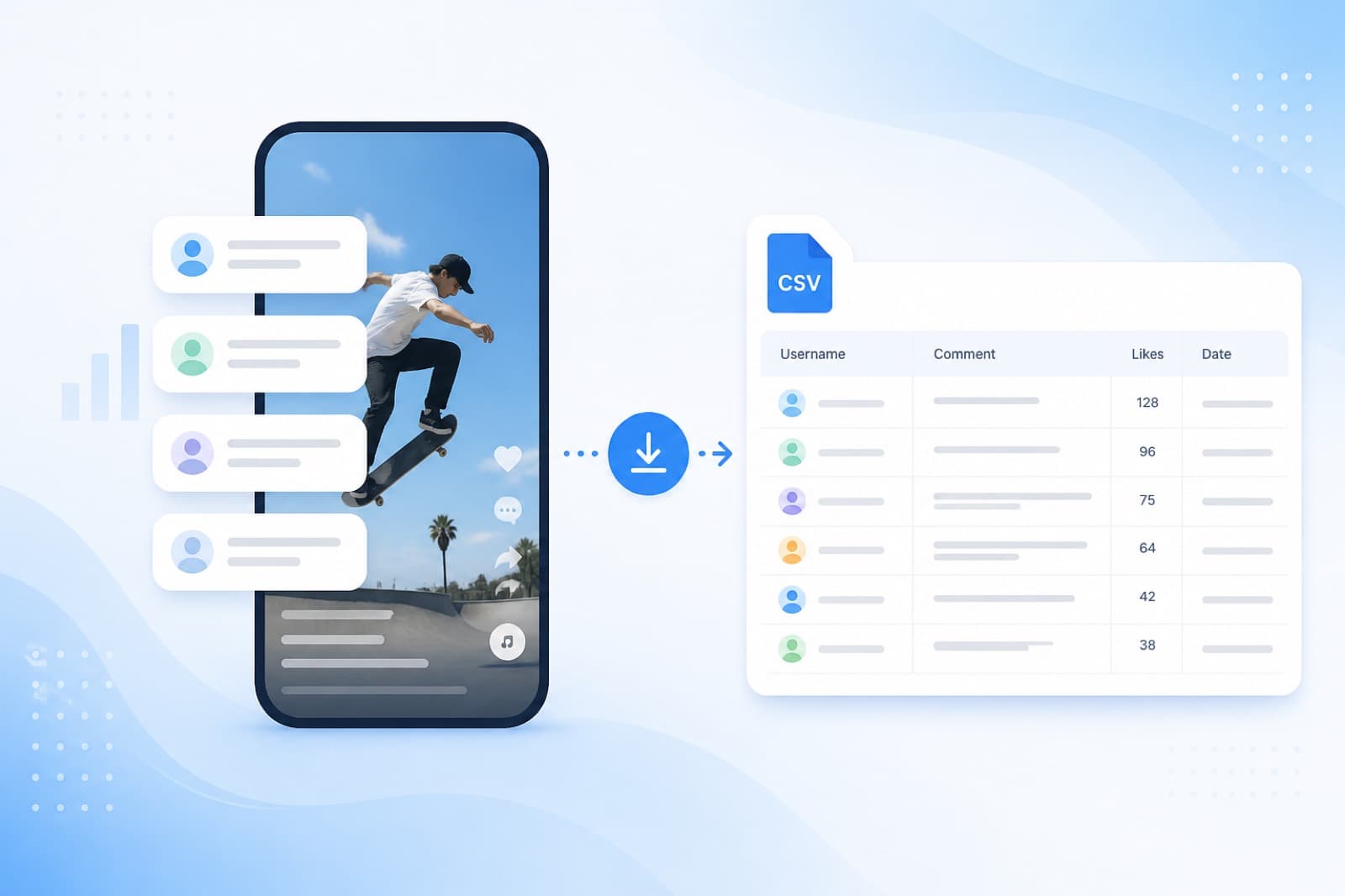
OpenExport Instagram, Facebook, and TikTok comments via official Meta / TikTok APIs — CSV or usernames, then pick winners.
OpenReal ER for any public Instagram account in seconds — no login. Compare with similar profiles in the SOM web app.
OpenContest rules with a shareable link for Stories/posts. Attach to a SOM giveaway — not the website terms.
OpenFair gift exchange in the SOM web app: private pairs without spreadsheets or chat spoilers. For teams, friends, and family.
OpenQuick utilities
Free Unicode font generator for Instagram bio and captions — full Literya style catalog, copy-paste, no signup.
OpenSplit a name list into fair random teams — by team count or size, with optional leaders. Free, no signup.
OpenFree picker wheel online: add options, spin, get a random winner. For decisions, class, and games.
OpenFree random number generator online in a range — for lotteries, giveaways, and interactives. Ukrainian tool for Instagram Stories, TikTok, challenges.
OpenRoll a virtual dice online for free: 1–12 dice, 2–100 sides — for games, challenges, and Stories. Works for Instagram, TikTok, Facebook.
OpenBy the numbers
Giveaways
196 583 476+
completed
Comments
19 667K
processed
Clients
39 379 595+
active accounts
Reviews
4.8 · 2,891 reviews on Google
Ratings on stores & Google
Pricing
Start free. Buy more as your audience grows.
$0
Instagram · TikTok · Facebook · YouTube · ThreadsOne account on web, iOS, and Android — packs and draws stay with you.
Tutorials
After your giveaway
What to do after picking a winner — trusted SOM partners
Ukrainian link-in-bio — one link in your profile
After a giveaway, send followers to a page with links: shop, Telegram, your next contest, or donations. Chutno is a Linktree alternative focused on the Ukrainian market and sales.
Bonus for the SOM audience: +1 month of Pro free when you sign up
Instagram fonts & bio — Unicode copy-paste
Fancy-text generator for Instagram, TikTok, and Stories. The full free style catalog is available on SOM; the full Literya app is on literya.com, the App Store, and Google Play.
The web generator on SOM is free. The Literya app for iPhone and Android adds convenient copy and more features.
FAQ
Paste your giveaway post link into SOM. Comments load from the public link — no Instagram password. Duplicates can be removed, then a winner is picked at random. Some Instagram cases use the official Meta Graph API (business/creator). Share a transparency certificate in Stories if you want. Separate CSV/username export for your IG/FB posts uses Meta Login.
Use the public post or Reels URL from Share or the browser. Private profiles or unavailable posts cannot be read. No Instagram password is required.
No for a standard giveaway: a public post or Reels URL is enough — no Instagram password. Meta Login is only for separate CSV/username export on the Export page. Some business/creator cases use the official Meta Graph API.
No. SOM works only with comments under the post — not likes. State clearly in your rules that entry = comment.
Limits are shared across platforms, including Instagram: 3 giveaways per day, up to 100 comments each — with filters and a transparency certificate. No card required to start. For larger pools or more daily draws, choose a paid plan.
Yes. SOM lets you run 3 giveaways per day for free (up to 100 comments each) on Instagram, TikTok, Facebook, YouTube, and Threads. Paste a post link — SOM detects the platform and collects comments. No card required to start.
Copy the public link to your Threads post (threads.net or threads.com) and paste it into SOM. Comments load without login or password; you can remove duplicates or filter by keywords/hashtags, then SOM picks a winner at random. Share a transparency certificate if you want. CSV comment export is for Instagram, Facebook (Meta Login), and TikTok (official TikTok API), not Threads.
Use the public post URL from the browser address bar or Threads Share. Both threads.net and threads.com work. Private posts or locked profiles cannot be read. No Meta/Threads password is required.
Both start from a public post link and a random winner pick. Some Instagram cases also use Meta Graph API (business/creator); CSV/username export is separate via Meta Login on the Export page. Threads runs from a public link without Meta Login. Filters are the same: duplicates and keywords/hashtags — no tagged-friends filter.
Limits are shared across platforms, including Threads: 3 giveaways per day, up to 100 comments each — with filters and a transparency certificate. No card required to start. For larger pools or more daily draws, choose a paid plan.
Copy the public Facebook post link (page or accessible profile) and paste it into SOM. Comments load without Facebook login; you can remove duplicates or filter by keywords/hashtags, then SOM picks a winner at random. Share a transparency certificate if you want. Separate CSV/username export uses Meta Login on the Export page — not required for a standard giveaway.
Use the public post URL from Share or the browser. If the post and comments are open via URL, SOM can load them. Closed or unavailable posts cannot be processed. No Facebook password is required.
No for a standard giveaway: a public post URL is enough — no Facebook OAuth and no password. Meta Login is only for separate CSV/username export (Instagram and Facebook) on the Export page. SOM is an official Meta partner for those flows.
No. SOM works only with comments under the post — not likes, reactions, or shares. State clearly in your rules that entry = comment.
Limits are shared across platforms, including Facebook: 3 giveaways per day, up to 100 comments each — with filters and a transparency certificate. No card required to start. For larger pools or more daily draws, choose a paid plan.
Yes. SOM lets you run 3 giveaways per day for free (up to 100 comments each) on Facebook, Instagram, TikTok, YouTube, and Threads. Paste a post link — SOM detects the platform and collects comments. No card required to start.
SOM is built for comment-based giveaways: automatic comment collection, duplicate filters, transparency certificates, and a full results archive. It works for small contests (from 100 comments) and large campaigns with thousands of entries. Professional support included.
Copy the public YouTube video link (youtube.com or youtu.be) and paste it into SOM. Comments load without Google login or channel access; you can remove duplicates or filter by keywords/hashtags, then SOM picks a winner at random. Share a transparency certificate if you want. CSV export is for Instagram, Facebook (Meta Login), and TikTok (official TikTok API), not YouTube.
Use the public video URL from Share or the browser (youtube.com / youtu.be). Private, unlisted-without-access, or comment-disabled videos cannot be processed. No Google/YouTube password is required.
No. SOM works from a public video link — no Google OAuth and no access to channel settings. You never share a password. CSV export via Meta Login is for Instagram and Facebook; TikTok export uses official TikTok API.
Limits are shared across platforms, including YouTube: 3 giveaways per day, up to 100 comments each — with filters and a transparency certificate. No card required to start. For larger pools or more daily draws, choose a paid plan.
1) Publish giveaway rules on Instagram, TikTok, Facebook, YouTube, or Threads. 2) Paste the post link into SOM and set the number of winners. 3) SOM loads comments, applies filters, and picks winners with a fair random algorithm. 4) Announce results and optionally show a Stories animation or transparency certificate.
Look for: automatic comment loading from a link or official TikTok API, duplicate removal, transparent algorithm, result certificate, and support for large comment volumes. SOM works without manual copy-paste, is an official TikTok partner, offers a free tier (3 giveaways/day), and paid plans for unlimited comments.
Copy the public TikTok video link and paste it into SOM. Comments can load from the link or via the official TikTok API (SOM is an official TikTok partner) — no password needed. You can remove duplicates or filter by keywords/hashtags, then SOM picks a winner at random. Share a transparency certificate if you want. Separate CSV/username export on the Export page also covers TikTok (official TikTok API), plus Instagram and Facebook (Meta Login).
Use the public video URL from Share or the browser address bar (tiktok.com). Private or unavailable videos cannot be read. No TikTok password: a standard giveaway can start from the link; some scenarios and comment export use official TikTok Login / API.
Both start from a public link and a random winner pick. Some Instagram cases also use Meta Graph API; some TikTok cases use the official TikTok API (official TikTok partner). CSV/username export: Instagram and Facebook via Meta Login; TikTok via official TikTok API on the Export page. Filters are the same: duplicates and keywords/hashtags — no tagged-friends filter.
Limits are shared across platforms, including TikTok: 3 giveaways per day, up to 100 comments each — with filters and a transparency certificate. No card required to start. For larger pools or more daily draws, choose a paid plan.
Free plan: 3 giveaways per day, up to 100 comments each — full randomizer with duplicate filter and transparency certificate. For more comments or more daily giveaways, choose a paid package.
Yes. SOM handles any scale — from 100 comments to tens of thousands. The free tier covers up to 100 comments; paid plans remove comment limits and increase giveaway capacity.
Paste a post link from Instagram, TikTok, Facebook, YouTube, or Threads, set the number of winners, and click Pick winner. SOM collects comments, applies filters, and selects winners randomly. Your first 3 giveaways per day are free.
Yes. SOM is available on iPhone in the App Store and on Android in Google Play. Your account syncs with the web version — giveaway history, results, and settings stay in your profile.
Yes. SOM never asks for or stores social passwords. Comment giveaways run from a public post link; official Meta Login / Graph API is for Instagram/Facebook export and cases where the platform requires business or creator access; for TikTok — official TikTok API (official TikTok partner) via link or TikTok Login. You control permissions. Every giveaway can include a transparency certificate.
Duplicate filter (one person = one entry; leave duplicates on if multiple comments should mean multiple chances) and keyword/hashtag filter. You can review winners before announcing. There is no filter by number of tagged friends in a comment.
When comments are loaded via Meta Graph API, Meta only grants access to business or creator accounts — a platform rule, not a password workaround. Many homepage giveaways start from a public post link alone. Meta Login is required for exporting comments (CSV / usernames) from your Instagram and Facebook posts.
After comments load, SOM uses a cryptographically fair random algorithm. You can re-run or pick again if needed. Each result can include a transparency certificate for Stories or your post.
The main comment giveaway randomizer on the homepage (Instagram, TikTok, Facebook, YouTube, Threads) plus 3 free utilities: list randomizer, online dice, and number generator — all without sign-up.
3 giveaways per day free (up to 100 comments).Stories certificate · public results link · comment export
A transparent draw your audience can verify