
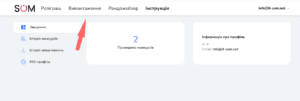
Our service allows you to easily and quickly export comments from any of your Instagram posts. Follow these steps:
(Service temporarily unavailable)
1. Go to the Export Page
🔹 Navigate to the “Export” page on the SOM service.

2. Select Your Instagram Account
🔹 Choose the Instagram account from which you want to export comments.

3. Choose the Post
🔹 Select the desired post or Reels.

4. Start the Export
🔹 Click the “Export” button, and the service will begin collecting comments.

5. Download the File
📥 After the export is complete, you can download the data in Excel or CSV format.

6. View Export History
📂 If you need this data later, it will be saved in your personal account for 6 months. You can view it on the “Export History” page.


Done! You have successfully saved the comments from your post. 🚀